Pick one of three viral BbY WOW dance clips, upload your photo, and the AI puts you in the dance with the original moves and song. The duo clip also works with a friend.
01
Choose a dance
02
Add your photos
1Your photo
03
Video length
6s · 768P: about $4.46 (90 credits)Credits come back automatically if the video fails.
The original clip
Dime Dime Baby AI video examples
Each video below was made on this page from the photos in its corners, one for each dance. The whole dancer is replaced, including hair, skin tone, body build and outfit, while the moves, the crowd and the original song stay the same.
AI version
Quince Classic
AI version
Party Groove
AI version
Camera Bounce
Real results made with the Quince Classic, Party Groove and Camera Bounce clips (6 seconds each).
What is the Dime Dime Baby AI trend (the BbY WOW guy)?
"Dime dime baby" is a line from "BbY WOW", a song by KAROL G with Judeline and rusowsky, and the Dime Dime Baby trend is the viral "BbY WOW guy" meme: a man in a cowboy hat dancing toward the camera at a quinceañera party, set to that line. The AI version swaps your photo into the clip, so you appear to dance it yourself. AiRap.me's Dime Dime Baby AI video generator is an online tool that puts your photo into the original clip, or two photos into a duo clip, with no filming, prompt or CapCut template.
There are three clips to choose from. Quince Classic is the cowboy dancing through a quinceañera party hall, as a 6, 10 or 15-second video. Party Groove is a 6-second front-row dance where you take the place of the girl in the white top. Camera Bounce is a 6-second hallway duo: add a photo for the left dancer, the right dancer or both. The AI edits the original video instead of generating a new one, so the moves, the camera and the song stay the same, and you get a vertical MP4 with no watermark in about 2 to 3 minutes.
Which photos work for the Dime Dime Baby AI video
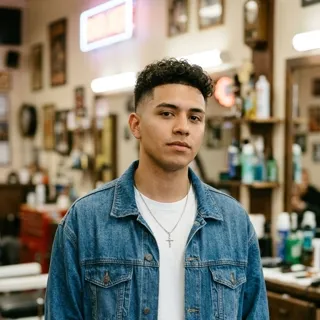
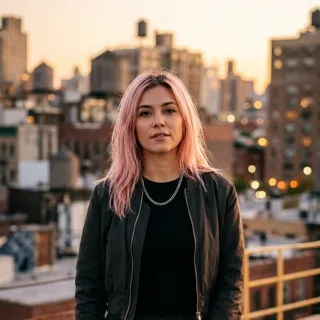
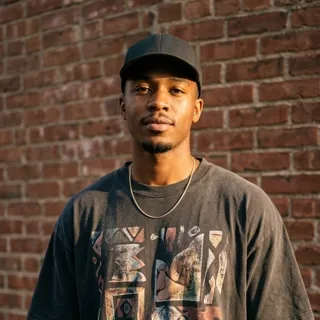
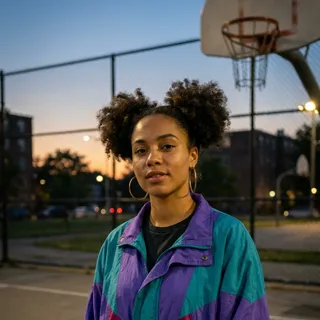
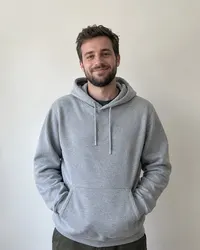
Each photo replaces a whole dancer, not just the face, so the AI also takes your hair, arms and clothes from it. A sharp, front-facing, waist-up photo keeps the likeness closest. Every upload is checked before the video starts.
Photos that work
One adultA petA characterCostume or makeup
A photo of one adult with a clear face; waist-up or full body works best, since your arms and outfit appear in the dance.
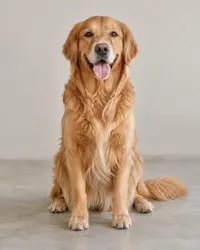
A pet or any other animal, such as a dog, a cat or a parrot.
A cartoon, anime, 3D, game or toy character, including drawn child characters.
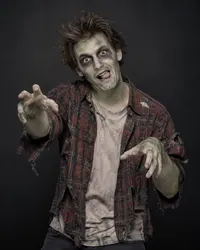
People in costumes, masks or horror makeup.
Any mix across the two slots, such as you on the left and your dog on the right.
JPG, PNG or WebP files up to 10 MB.
Photos we can't use
Group photoNo subjectBlurry or darkFace covered
Photos of real children: for safety, photographed people who are clearly under 16 are refused.
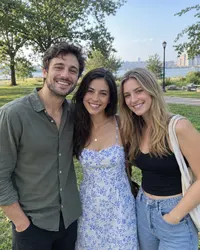
Group photos with two or more people, pets or characters as the subject; use the second slot for a friend instead.
Landscapes, objects, food, text or screenshots with no person, animal or character in them.
Faces that are too blurry, too dark, too small, covered or turned away from the camera.
Nudity, sexual content or real graphic violence.
A photo that fails the check is marked on its slot with the reason, and no credits are used until every photo passes.
How to do the Dime Dime Baby trend with AI
You can do the Dime Dime Baby trend on a phone or a computer without filming or writing a prompt, because the original dance clip is already loaded as the template.
1
Pick a dance and add a photo
Choose Quince Classic, Party Groove or Camera Bounce, then upload your photo. For Camera Bounce you can add a friend in the second slot.
2
AI swaps you in
The AI replaces the dancer in the original clip and keeps every move, the camera and the song.
3
Download and post
Download the vertical MP4 with no watermark and post it to TikTok, Reels or Shorts with #dimedimebaby.
Who to put in your Dime Dime Baby AI video
Each clip suits a different idea: the solo clips work best with one surprising person in the lead, and the duo clip with two people who belong together. These are the ideas that work best.
You as the BbY WOW guy
Take the cowboy's place in Quince Classic and dance across the quinceañera party hall with full confidence, then send it to the group chat.
You and a friend or partner
Pick Camera Bounce and add two photos to dance the hallway duo together, even if you live in different cities.
Parents and grandparents
Mum or grandpa doing the BbY WOW dance with full confidence is a favourite version. Ask them first.
Your pet or a character
Put your dog, your cat or a favourite cartoon character in any of the three clips; they keep their own look and take on the moves.
Dime Dime Baby AI video tools compared
Some Dime Dime Baby AI tools generate a new dance from your photo, so the moves and the sound differ from the trend. Others edit the original clip, so only the dancer changes.
Tool
How you make it
Sound
Best for
CapCut template
Fill a Dime Dime Baby green-screen or meme template with your photos inside the CapCut app
The template's sound
People who already edit in CapCut on their phone
Media.io
Upload one photo; the AI generates the BbY WOW party sequence around you
Not stated on its page
A quick one-photo meme, with free credits on signup
Vadu AI
Upload one photo, plus an optional background photo; up to 15 seconds in 9:16, 16:9 or 1:1
A royalty-free beat, not the original song
Changing the background or the aspect ratio
AiRap.me
Pick one of three original trend clips and upload your photo; the AI edits the clip and swaps only the dancer
The original clip's sound
The real trend clip with its song, solo or as a duo with a friend
Based on each tool's public Dime Dime Baby page as of 28 October 2026; features and prices can change.
Answers to the questions people ask most before they make a Dime Dime Baby AI video, from cost and photos to privacy.
01
How do I make a Dime Dime Baby AI video with my own photo?
Pick a dance, upload a clear photo on this page and press generate. The AI swaps the dancer in the original clip for the person, pet or character in your photo, and the finished vertical video is ready in about 2 to 3 minutes as an MP4 with no watermark.
02
How do I make the baby wow guy dancing AI video?
Choose the Quince Classic clip, upload one photo and pick 6, 10 or 15 seconds. The AI replaces the dancing man in the cowboy hat with you and keeps his moves through the quinceañera party hall and the original song.
03
Can I do the Dime Dime Baby trend with a friend?
Yes, with the Camera Bounce clip. Add one photo to each slot and the AI replaces both dancers: the left slot is the man in the grey Monster T-shirt, the right slot the man in the black tank top and blue hat.
04
Which dancer does my photo replace?
In Quince Classic it is the man in the cowboy hat, and in Party Groove the girl in the white top at the front. In Camera Bounce it depends on the slot: a left photo replaces the left dancer, a right photo the right dancer, and the other dancer stays as in the original clip.
05
Is the Dime Dime Baby AI video generator free?
No, making a video uses credits from a one-time pack or a monthly plan, with no subscription required. The cost depends on the clip and the length you choose and is shown before you generate, and credits come back automatically if a video fails.
Quince Classic can be 6, 10 or 15 seconds, cut from the start of the original clip. Party Groove is 6 seconds and Camera Bounce about 6 seconds.
07
Does the video keep the original song?
Yes. The original "BbY WOW" audio from the clip is kept and no voice is cloned, so your version plays the same "dime dime baby" line.
08
Do I need CapCut, a template or a prompt?
No. There is no template to download, no prompt to write and no app to install. The original clip is built in; you only add photos in your browser.
09
Why does my result look a little different from my photo?
The AI redraws you at the angle, lighting and motion of the original clip, and builds your body to fit the dancer's pose. Fine details such as a logo on a shirt or a small tattoo may change. A sharp, front-facing, waist-up photo keeps the likeness closest.
10
Can I use a pet or a cartoon character?
Yes. Animals and drawn, anime or 3D characters work and keep their own look, and you can mix a person with a pet or a character. Group photos and photos of real children are refused.
11
What happens to my photos?
Your photos and videos stay private to your account. They are never posted, shared with other users or used to train AI models.
Will my Dime Dime Baby video be muted on TikTok or YouTube?
It can be. The video keeps the original song, so TikTok, Instagram and YouTube apply their own music rules: most allow it in posts, but some may mute the sound or add a copyright claim. Trend videos are for personal, non-commercial sharing, not for ads or paid promotion.
13
Is this an official KAROL G app?
No. AiRap.me is an independent AI tool and is not affiliated with KAROL G, the dancers in the clip or any record label. The template recreates a public trend for fun and personal sharing. Only upload photos of people who have agreed to it.
Dance the Dime Dime Baby trend today
Pick a clip and add your photo, and in about 2–4 minutes you are dancing the BbY WOW trend with the original song, ready to post on TikTok, Reels or Shorts.