
AI video effect

AI Rap Maker: Type a Topic, Get a Rap Video Starring You

Write one line about what the rap is about, upload a photo and pick a stage. AiRap.me writes the bars, makes the beat and lip-syncs your photo into a 10- or 15-second rap video.

  • Any topic, one line
  • 4 stages
  • 10 or 15 seconds
  • No watermark
01

Your photos

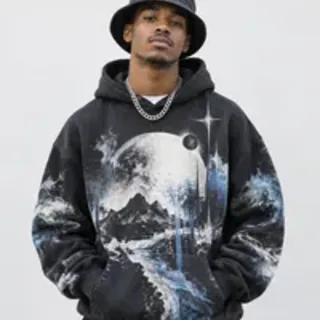
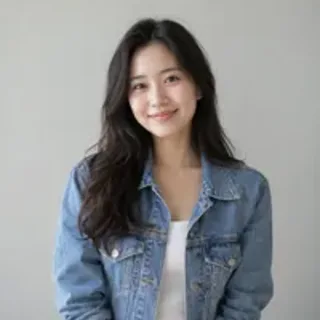
A clear, well-lit photo works best. Two photos put two people side by side.

02

What's the rap about?

Stage
03

Choose an effect

04

Video settings

Credits come back automatically if the video fails.

Effect preview

What is the AI Rap Maker?

The AI Rap Maker on AiRap.me is a photo-to-video tool that turns one photo and one line of text into a 10- or 15-second rap video. You write what the rap is about, such as "my cat judging my cooking" or "Monday morning meetings", pick a stage, and the AI writes original lyrics on that topic, makes a beat that fits the stage and lip-syncs the person in your photo to it. It works like a rap song maker that also films the performance, so you never have to record a line yourself.

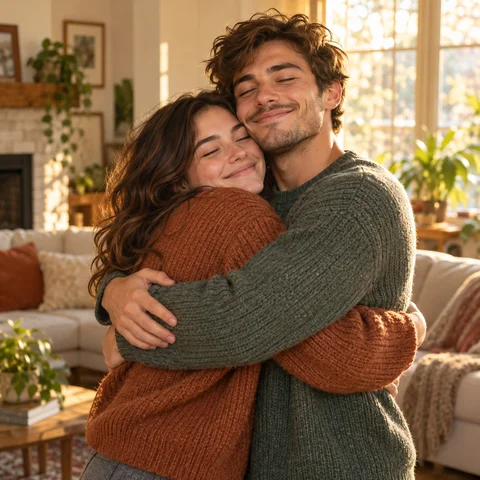
Add a second photo and the two of you trade halves of the verse, like a cypher.

AI rap maker examples

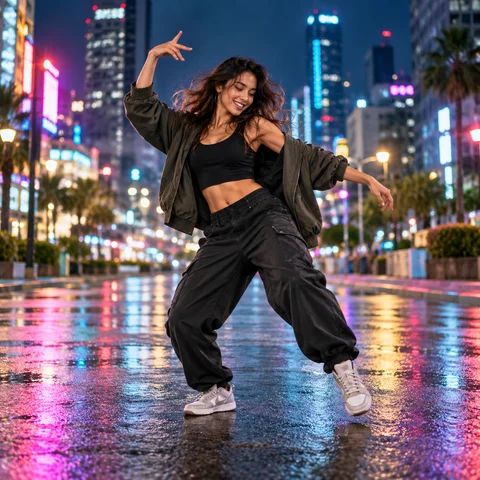
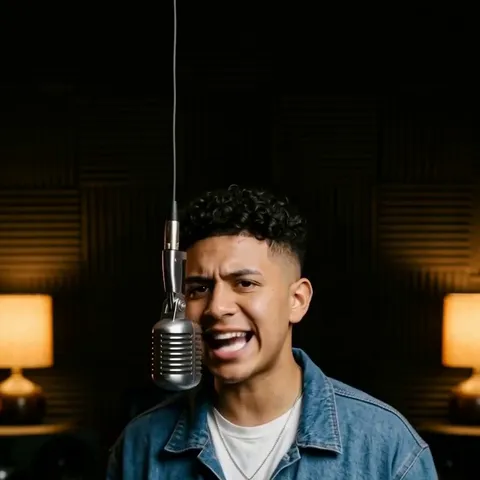
Each video started from one photo and one line. Left: Studio Booth, "my cat judging my cooking". Right: Street Cypher, "Monday morning meetings that should have been an email".

AI versionPhoto 1
AI versionPhoto 1

What you get with the rap maker

Lyrics, beat, vocals and video come out of one render, so the mouth matches the words.

A rap about your topic

The lyrics are written around the line you type, not picked from a preset theme, so the rap is about your joke, your friend or your day.

Four stages with their own sound

Studio Booth gets a boom bap beat, Street Cypher a dark street beat, Rooftop a melodic beat and Concert Stage a high-energy trap beat.

Your photo, rapping in sync

The rapper is the person, pet or character in your photo, with lip movements that follow the verse.

Credits back if a render fails

A failed render returns its credits automatically, and every finished video is saved in My Videos.

How to make a rap with the AI rap maker

You can make a rap video in three steps right here in your browser, with no app to install and nothing to record.

  1. 1

    Add your photo

    Upload one clear photo. Switch to Two photos to make it a duo.

  2. 2

    Pick the effect

    Write one line about what the rap is about and pick a stage.

  3. 3

    Download and post

    Create the video and download the MP4, or find it later in My Videos.

What people make with a rap maker

Anything you can say in one line can become a verse, from a rap about school or money to one about your dog.

Inside jokes

Turn a running joke from the group chat into a verse and send it back to the group.

Shout-outs

Hype up a friend, a teammate or a coworker who just pulled something off.

Pets with opinions

Upload your dog or cat and let them rap about what they really think of you.

Short posts

Post a vertical clip to TikTok, Reels or Shorts about whatever happened today.

Tips for better results with the AI rap maker

The topic line does most of the work, so a little detail goes a long way.

  • Be specific: "my roommate never washes the pan" makes better bars than "my roommate".
  • Names work: put a first name in the topic if the rap is about someone.
  • Use a clear, front-facing photo in good light so the lip sync looks natural.
  • Pick 15 seconds if you want a longer verse.

AI rap maker vs rap song generators and rap maker apps

There are three common ways to make a rap, and the right one depends on whether you want audio only or a video with your own face.

OptionWhat you getTimeBest for
AI rap song generatorAn audio track from a prompt or your lyrics, with no face on screenUnder a minuteA song to share as audio
Rap maker app with a beat libraryYour own voice recorded over a beat you pickAs long as it takes you to write and recordPractising your own bars
AI Rap Maker on AiRap.meA 10- or 15-second video of your photo rapping original bars about your topicUsually under a few minutesA rap about something specific, starring you

Based on how both tools work as of November 2026.

What the rap maker can and can't do

Knowing the limits up front helps you write a topic that comes out right the first time.

What it can do

  • Write original English bars about the topic you type
  • Match the beat to the stage you pick
  • Split the verse between two performers with a second photo

What it can't do

  • Make a full-length song; each video is 10 or 15 seconds
  • Rap lyrics you paste in word for word; it writes its own bars on your topic
  • Say slurs or insults about looks, race or gender; topics like that are not allowed
  • Use photos of children, or of anyone without their permission

AI rap maker FAQ

Answers about topics, stages, pricing and privacy before you make your first rap.

01

Can the rap really be about anything I type?

Yes, within one line: you can make a rap about a friend, your pet, school, money or a running joke in up to 120 characters, and the AI writes the bars around it. Slurs and insults about looks, race or gender are not allowed.

02

Can I use the rap maker for free?

Not completely. Each rap video costs credits, and the 20 free credits new accounts get are not quite enough for one 10-second rap, so you will need a small credit pack. Failed videos are always refunded.

See packs and plans
03

Can I write the full lyrics myself?

Not yet. You give the topic in one line and the AI writes the verse, so every render is a little different.

04

What does the stage change?

The stage sets the scene and the beat: Studio Booth is boom bap with a hanging mic, Street Cypher is a dark street beat at night, Rooftop is a melodic beat at sunset and Concert Stage is high-energy trap under spotlights.

05

How long is the video and how much does it cost?

Videos are 10 or 15 seconds. You pay in credits per video, and the price depends on length, quality and whether you use one or two photos; the exact cost for your settings is shown on the button before you create it, and failed videos are refunded automatically.

See packs and plans
06

Can my pet or a cartoon character be the rapper?

Yes. Upload a clear photo of a pet or a drawn character and it raps in its own look; paws stay paws.

07

Can the AI rap maker use my own voice?

Not yet. The voice is generated by the AI to match the person in your photo, so you don't need to record anything. If you want your real voice, record yourself over a beat with a rap maker app instead.

08

What happens to my photos?

Your photos are only used to make your video, and the finished video is saved privately in My Videos.

Read the privacy policy

Make a rap about anything today

Upload a photo, write one line and pick a stage.

Make my rap