

How do AI video effects work?
You add one or two photos and pick an effect. AiRap.me builds an opening shot from your photos, then animates the effect into a six-second video you can download.
Pick an effect, add one or two photos and get a six-second video of you in it, ready to post.
A clear, well-lit photo works best. Two photos put two people side by side.
Credits come back automatically if the video fails.
Effect preview
AI video effects on AiRap.me are photo-to-video templates that turn one or two portraits into a six-second clip, such as a camera zooming out from your face to the universe. You pick an effect, upload your photos and choose 9:16 or 16:9 at 768P or 1080P. The AI builds an opening shot from your photos and animates the effect, usually in about 20–30 seconds, and you download an MP4 without a watermark. Effects are paid in credits, new accounts get free starter credits, and failed videos are refunded automatically.
Every effect shares the same photos and settings, so you can switch to another effect without uploading again.
Turning a photo into an effect video takes three steps and no editing skills.
Upload one clear photo, or two photos to put two people side by side.
Pick an effect and, if you like, change quality or format in Video settings.
Create the video, then download the MP4 or find it later in My Videos.
Each effect has its own page with tips and answers, and every one uses the same photos and settings.
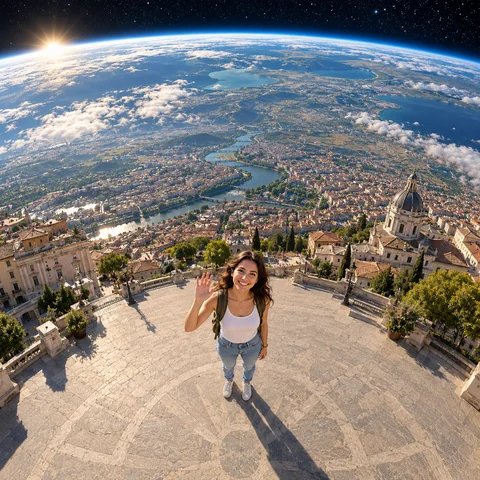 Earth Zoom Out AITurn one photo into a camera pull-back from your face past the Earth to the universe
 AI Hug GeneratorTurn two photos into a six-second video of the two people hugging
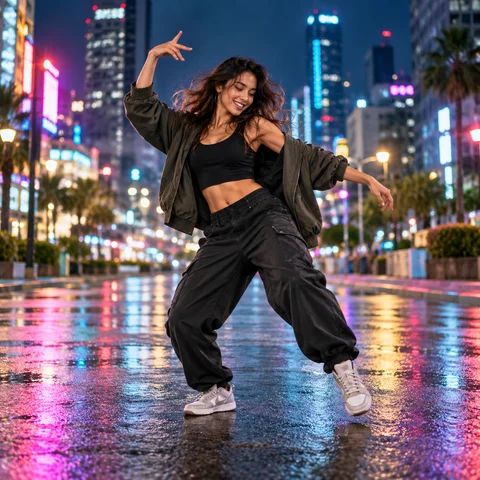 AI Dance GeneratorTurn one photo into a six-second video of you dancing on stage in a random style, from hip-hop to disco
 Personalized Birthday SongTurn one photo into a 10-second video of you singing a birthday song with their name in it
 AI Rap MakerType one line about what the rap is about, pick a stage and get a 10-second video of your photo rapping it
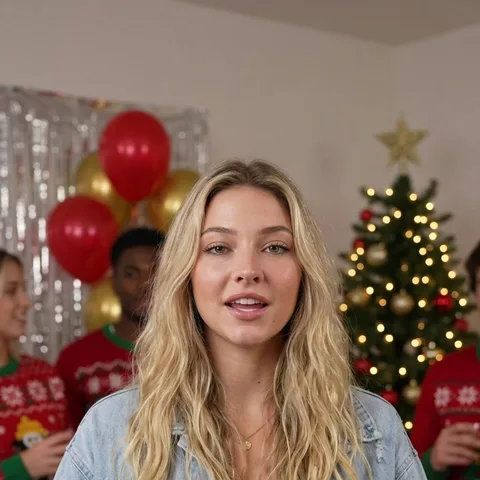 AI Christmas VideoTurn one or two photos into a 10-second Christmas rap video about your own topic, by the fireplace or in the snow
 AI Diss Track GeneratorName who you are dissing and why, pick a stage and get a 10-second video of your photo roasting them in a rap
Start from the moment you want to share, then pick the effect that fits it.
Earth zoom out pulls the camera from your face out past the planet to the universe.
Earth Zoom Out AIHug turns one photo of each person into a video of the two of you sharing a hug.
AI Hug GeneratorDance turns one photo into a video of you dancing on stage in a random style, from hip-hop and K-pop to disco.
AI Dance GeneratorEach effect turns your own photo into a finished clip, so there is nothing to edit before you post it.
You download a clean file that plays anywhere, with no logo on top of your video.
Pick 9:16 for TikTok, Reels and Shorts, or 16:9 for YouTube; both cost the same.
Choose 768P for quick posts, or 1080P when you want a sharper picture.
A failed render returns its credits automatically, and every finished video is saved in My Videos.
Quick answers about photos, pricing and privacy before you make your first effect video.
You add one or two photos and pick an effect. AiRap.me builds an opening shot from your photos, then animates the effect into a six-second video you can download.
New accounts get free starter credits, enough to try an effect. After that each video is paid in credits, priced by quality and number of photos, and the cost shows on the button before you render.
See packs and plansOne photo is enough for every effect. Add a second photo when you want two people in the video; each photo should show one person.
No. You download a clean MP4 with no logo on it.
Usually about 20–30 seconds. You can leave the page while it renders; the video is saved in My Videos.
Only with their permission. Photos of children are not accepted, and your uploads are never used to train AI models.
Read the privacy policyPick an effect above, add your photo and get a six-second video you can post today.
Choose an effect