


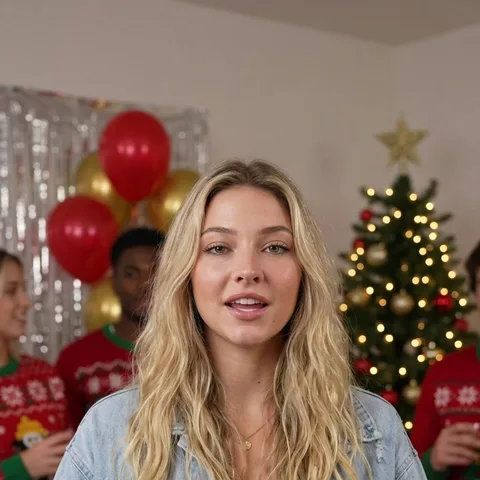
AI video effect

AI Diss Track Generator: Roast a Friend in a Rap Video Starring You

Type who you're dissing and why, upload your photo and pick a stage. AiRap.me writes the bars, makes the beat and lip-syncs you into a 10- or 15-second diss track video.

  • Name + reason
  • 4 battle stages
  • 10 or 15 seconds
  • No watermark
01

Your photo

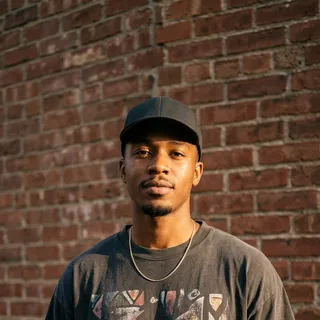
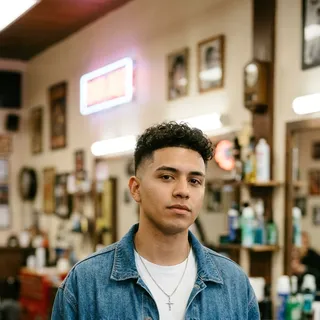
A clear, well-lit, front-facing photo of yourself works best.

02

What's the rap about?

Stage
03

Choose an effect

04

Video settings

Credits come back automatically if the video fails.

Effect preview

What is the AI Diss Track Generator?

The AI Diss Track Generator on AiRap.me is a photo-to-video tool that turns your photo, a name and a reason into a 10- or 15-second diss track video. You type who you're calling out, such as "my little brother", and why, such as "cheats at Mario Kart and blames the controller"; the AI writes original roast bars about exactly that, makes a beat that fits the stage and lip-syncs you rapping it straight at the camera. Most diss track generators stop at lyrics or audio; this one gives you the performance.

It is made for friendly roasts between friends, family and coworkers, not for attacking anyone.

AI diss track generator examples

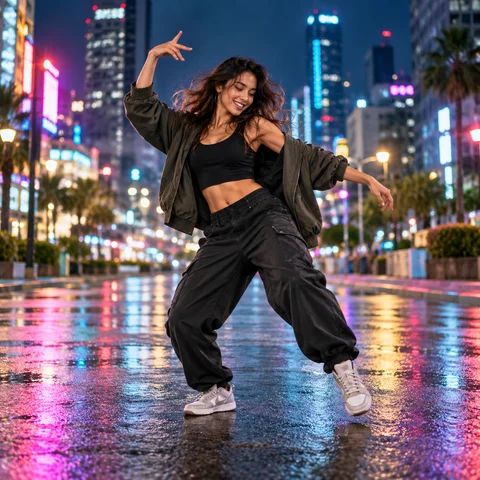
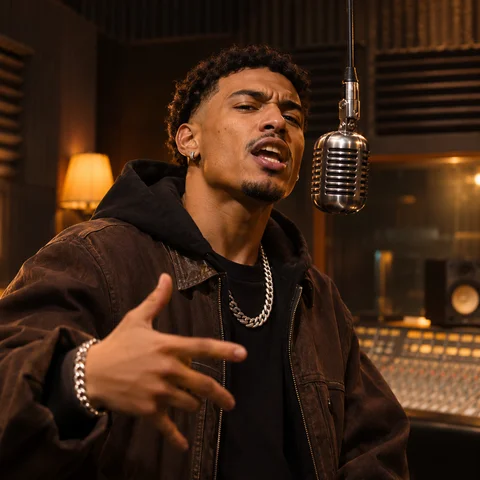
Each video started from one photo, one name and one reason. Left: Street Callout, "my roommate Jake / never washes his dishes and eats my leftovers". Right: Studio Booth, "my coworker Dave / hits reply-all on every single email".

AI versionPhoto 1
AI versionPhoto 1

What you get with the diss track generator

Lyrics, beat, vocals and video come out of one render, so your mouth matches every punchline.

Bars aimed at one name

The verse calls out the person you name and roasts the reason you give, with punchlines and wordplay instead of generic insults.

Four stages with their own sound

Battle Stage is club trap under spotlights, Street Callout a dark street beat at night, Studio Booth boom bap with a hanging mic and Rooftop hard trap at sunset.

You, delivering it

The rapper is the person in your photo, with a cocky call-out attitude and lip movements that follow the verse.

Credits back if a render fails

A failed render returns its credits automatically, and every finished video is saved in My Videos.

How to make a diss track with the AI generator

You can make a diss track video in three steps right here in your browser, with nothing to record.

  1. 1

    Add your photo

    Upload one clear, front-facing photo of yourself.

  2. 2

    Pick the effect

    Type who you're dissing and why, then pick a stage.

  3. 3

    Download and post

    Create the video and download the MP4, or find it later in My Videos.

Who people make diss tracks about

The best diss tracks come from a real, specific habit everyone in the group chat already knows about.

Roommates

Call out the roommate who leaves dishes in the sink, steals your leftovers or practises guitar at 2 a.m.

Siblings

Roast the brother or sister who cheats at games, hogs the bathroom or always gets away with it.

Gaming friends

Call out the teammate who rage-quits, never revives you or blames the lag.

Coworkers and birthdays

Roast the reply-all champion at work, or turn a friend's birthday into a playful callout.

Tips for a funnier diss track

The reason line does most of the work, so a little detail goes a long way.

  • Be specific: "eats my leftovers and labels them his" lands harder than "is annoying".
  • Use a first name or nickname so the bars point at one person.
  • Stick to one habit or moment; two at most.
  • Use a clear, front-facing photo in good light so the lip sync looks natural.

AI diss track generator vs lyric generators and AI song makers

There are three common ways to make a diss track, and the right one depends on whether you want words, audio or a video you can post.

OptionWhat you getTimeBest for
Diss track lyric generatorWritten lyrics you still have to rap or recordSecondsWriting your own diss to perform
AI song makerAn audio track of an AI voice rapping, with no face on screenUnder a minuteA diss to share as audio
AI Diss Track Generator on AiRap.meA 10- or 15-second video of you rapping original bars at the person you nameUsually under a few minutesA roast you can post or drop in the group chat

Based on how these tools work as of November 2026.

What the diss track generator can and can't do

Knowing the limits up front helps you write a reason that comes out right the first time.

What it can do

  • Write original English roast bars about the name and reason you type
  • Match the beat to the stage you pick
  • Make 10- or 15-second vertical videos ready for TikTok, Reels or Shorts

What it can't do

  • Diss real celebrities or public figures, or use anyone's photo but your own
  • Say slurs, threats or insults about looks, race, gender, religion or sexuality
  • Rap lyrics you paste in word for word; it writes its own bars on your reason
  • Make a two-person rap battle; each video has one rapper

AI diss track generator FAQ

Answers about names, stages, pricing and what's allowed before you make your first diss track.

01

Who can I make a diss track about?

Anyone you know who's in on the joke: a roommate, sibling, friend, teammate or coworker. Type their first name or who they are to you; you don't upload their photo. Real celebrities and public figures are not allowed.

02

Is the diss track generator free?

Not completely. Each diss track video costs credits, and the 20 free credits new accounts get are not quite enough for one 10-second video, so you will need a small credit pack. Failed videos are always refunded.

See packs and plans
03

Does the diss track come with a voice and music?

Yes. Every video includes an AI rap vocal, a beat that matches the stage you pick and lip sync on your photo, all made in one render, so there is nothing to record or mix.

04

Can I get the diss track lyrics as text?

Not as a separate file. This diss track maker gives you the finished video, and the lyrics are what you hear in it. If you only want written lyrics to rap yourself, a diss track lyric generator is the faster pick.

05

How mean does it get?

It roasts like a battle rapper but keeps it friendly: punchlines about the habit you describe, never slurs, threats or insults about looks, race, gender, religion or sexuality.

06

Can I write the diss lyrics myself?

Not yet. You give the name and the reason and the AI writes the verse, so every render is a little different.

07

What does the stage change?

The stage sets the scene and the beat: Battle Stage is club trap with one mic under spotlights, Street Callout is a dark street beat at night, Studio Booth is boom bap with a hanging mic and Rooftop is hard trap at sunset.

08

How long is the video and how much does it cost?

Videos are 10 or 15 seconds. You pay in credits per video, and the price depends on length and quality; the exact cost is shown on the button before you create it, and failed videos are refunded automatically.

See packs and plans
09

Can I make a rap battle with two people?

Not on this page. Each diss track has one rapper: you. To share a verse with a friend, use the AI Rap Maker with two photos.

10

What happens to my photo?

Your photo is only used to make your video, and the finished video is saved privately in My Videos.

Read the privacy policy

Drop your diss track today

Upload your photo, name who you're dissing and pick a stage.

Make my diss track